Picture Repairing
With this website you can benefit from our JPEG expert knowledge, which we have built up over many years. Our data recovery solution is unique in the world.
Technology leadership
Our application VG JPEG Repair Online is highly specialized in one single file format - JPEG. It restores a lot of specific and different image errors that competitors cannot repair.
Hence it can be considered as unique in the world.
Benefit
You can try out our free trial and see whether some of your images can be recovered. As simple as that! If you need to examine a lot of data, you can purchase a client account.
If repairing is not possible than, you get a full refund, of course.
Anonymity
Due complete automation, our employees never will have a look at your images. All data that are uploaded to our Data Recovery Cloud are exclusively used to leverage data recovery. We do not sell, trade, or otherwise transfer to outside parties your uploaded image data.
If you want, you can even pay 100% anonymous with Bitcoin.

Creating free trial accounts, uploading files, recovering images, downloading results. Each step is fully automated. Don't wait any more,…
-
Repair Your Pictures - Now!
- Free Trial
Examples of damaged pictures

Grey areas in image
JPEG data interruptions lead to grey areas in the image. These errors can be recovered, if the data stream was only interrupted, but not totally lost. If the data is completely lost, usually the image can be recovered in smaller resolutions, at least.
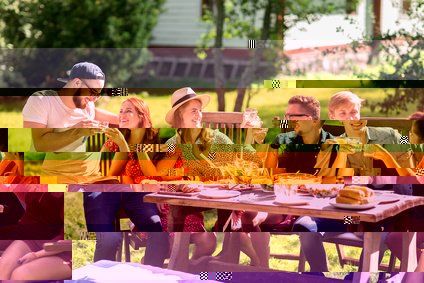
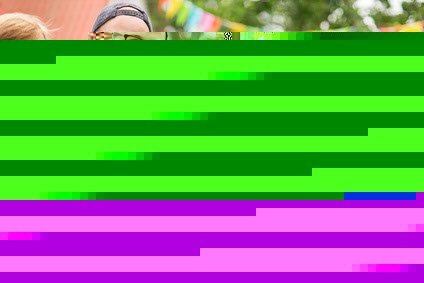
Damaged colors in image
Small bit errors in a JPEG scan lead to image disruptions. Most parts of the image are available, but they are shifted and have wrong colors. Depending on the severity of the damage, these errors can be repaired.
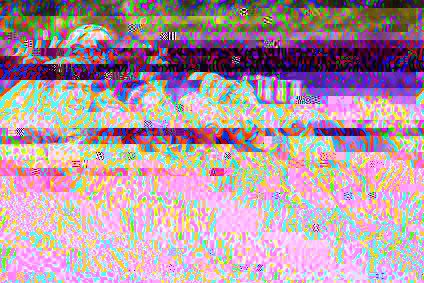
Wrong colors in image
As the the color components of a JPEG file are decoded incremental
, data errors may result in colors that can not be displayed any more within the according color space. Depending on the severity of the damage, these errors can be repaired.
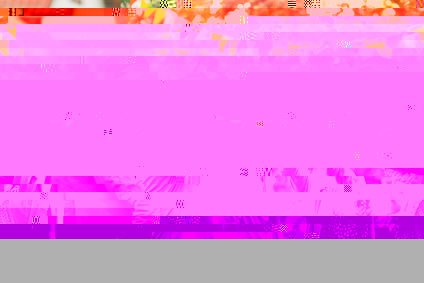
Damaged picture header
If the JPG header is still available, but has a data corruption, the image may be decoded in a total chaotic way. Depending on the severity of the damage, these errors can be recovered.
Heavily damaged picture data
If the JPEG data is damaged heavily, and the JPEG file does not contain Restart-Marker, the image might be totally destroyed. In some cases, these errors can be repaired. At least some individual parts of the image, but not the complete image, can be recovered.
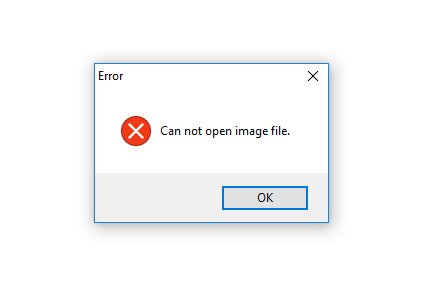
Missing JPEG image header
If the JPEG header is completely invalid, or does not exist any more at all, the image file basically cannot be opened in any way. But our software is able to repair those files by using the JPG header of another file as pattern!
Repair your damaged JPEG images
You found our website because you are looking for help. Because you want to get back your precious pictures with your family or friends. You found this help.
It is technically very demanding to restore defective images. There are countless ways a JPEG file can be corrupted. That's why there are very few specialized vendors that can fix broken images and that not just do a simple file system restore. Indeed you could do this yourself with any recovery program! However, we offer you a better solution and are the world leader in recovering JPEG files - VG JPEG Repair Online.
Picture error examples
Here are some examples of damaged JPEG images. See below for how we can help you.
Gray areas in image
If the datastream of an image is interrupted, you will see a gray area in the image. All subsequent areas of the image are then no longer visible. This error can occur, for example, due to an aborted data transfer. These errors can be repaired if the data stream is interrupted but not completely lost. This means a repair is possible if a data stream has either been split into several parts or if there are some invalid parts within a data stream. If the remaining data are completely lost, the image can usually be restored at least in a lower resolution.
Damaged colors in image
A few bit errors in the data stream lead to typical picture disturbances. Most parts of the picture are still there, but they have wrong colors and are shifted. These errors occur frequently and are caused by incorrect data transmission or erroneous reading of data. The data in a JPEG image is differentially
written. If a particular spot is damaged, all subsequent parts of the picture will be displayed incorrectly. Exceptions are files that contain Restart-Marker, but most cell phones and cameras do not write any Restart-Marker into the image files. Depending on the severity of the damage, a restoration of the colors is possible.
Heavily damaged data in image
Strong damage to the data stream often leads to complete destruction of the image. If individual parts of the image are not damaged too much, at least these parts can be restored. However, this is a complicated process, too. The relevant parts must be recognized in the data stream and must be removed. The restored image will start in the middle or in another part of the original motif. It is also possible that individual parts are totally missing within the picture.
Wrong colors in picture
The brightness values and the color values of a JPEG file are stored in the YCbCr color space. In this color space, the brightness, as well as the intensity of red and blue are stored in separate channels. If the data stream or the JPEG header is damaged, it can happen that the color values swell
and leave the permitted color space. The picture then shows intensely colored thick lines and blocks. This error also causes the file to look different in different programs and browsers. This is because different programs and browsers can handle invalid color values differently. Repairing is often possible by resetting the color values at the beginning of the file to a normal value.
Damaged image header
If the header of a JPG file is still there, but damaged, it can cause the image to be displayed in a completely chaotic way. The Huffman and quantization tables in the picture header form the blueprint of
a JPEG file. If these tables are damaged, the image will be misassembled
. Slight damage to the JPEG header can be repaired. In case of severe damage, it is necessary to replace the entire header with the header of another, not damaged file. This header must necessarily come from the same camera or the same phone.
No JPEG header
If an image no longer contains a JPEG header, then it is not possible to display the image, at first. In such a case, however, a repair can succeed if the JPEG header is completely replaced by a new header. This new header must necessarily come from the same camera or the same phone. When creating an image file, there is the option to optimize
the information contained in the header. Unfortunately, if this optimization was done on the defective file, the header can not simply be replaced by another because it has been customized for the data stream. Fortunately, 99% of all cameras and cell phones do not produce optimized JPEG files. For this reason, repairing such a file, usually is possible with an arbitrary, undamaged file from the same device.
Structure of a JPEG file
- Header
Building Plan
- Thumbnails
- Further information (EXIF)
- Data Stream
- Motif
- Perhaps Restart-Marker
A JPEG file is roughly made up of two parts, the header and the data stream. The header contains information necessary to generate a valid image from the data stream. These are Huffman tables, quantization tables, and color channel definitions. It contains, so to speak, the blueprint
with the help of which the picture can be built point by point. Further, additional information such as camera settings or GPS positions are often included. Usually, the device writes this information as EXIF. Almost always the JPEG header itself contains smaller versions of the actual image. That is, the header contains other complete JPEG files with lower resolution. These are thumbnails. The header is tiny compared to the data stream, usually only about 0.1% of the total image file. The data stream in turn contains the actual picture motif. The information in the data stream is stored differentially
, which means that every point in the data stream has an impact on subsequent points. This is one of the reasons why it is extremely difficult to repair JPEG data streams. Some cameras insert so-called Restart Markers into the data stream in some places. This makes repair easier in the event of a fault.
That's how we help you
Our product is the result of many years of work and in this form unique in the world.
Automation
Our product VG JPEG Repair Online is able to automatically repair a large number of different JPEG defects. The relevant information is extracted from the files, checked and, if possible, repaired directly. In this case, complicated methods of pattern recognition are used. Since it is sometimes difficult to determine which error is actually present, several different repairs are performed, which can lead to multiple results per file. However, this does not have to confuse you, you can simply select the appropriate file when downloading. In order to always achieve the optimum result, we do not want to make an automated pre-selection here.
Replacing the header
As described above, restoring the image is often only possible by using a completely new JPEG header from another file. This sample file
must meet the following criteria:
- The image file must be undamaged
- The image file must be created by the same camera or mobile phone
- The picture must have the same resolution
- The picture should have been taken with the same settings
When the user starts the analysis, our software evaluates all the appropriate JPEG headers from the sample files and uses them to repair the damaged image. This usually leads to several results, that is, multiple result images.
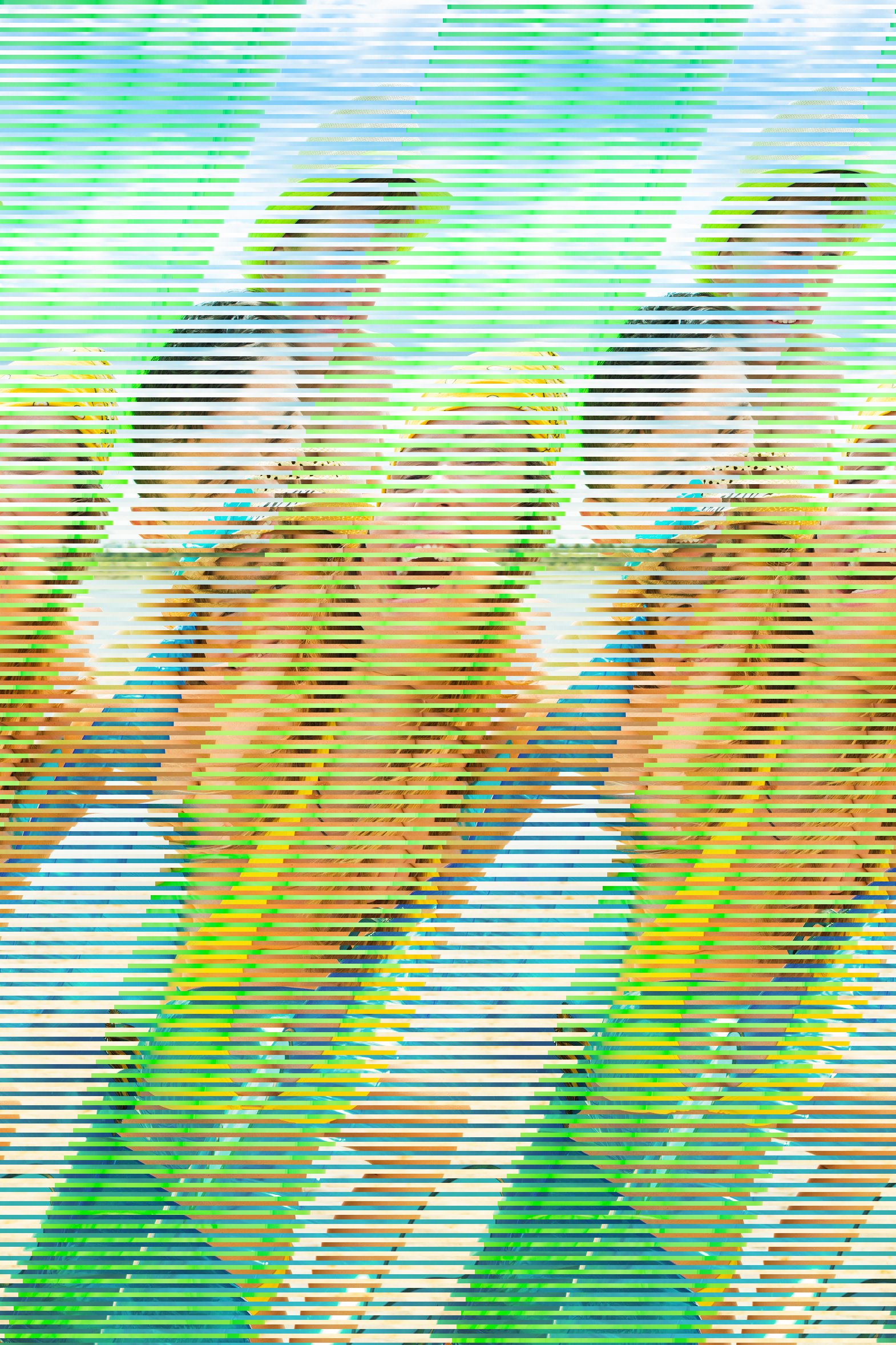
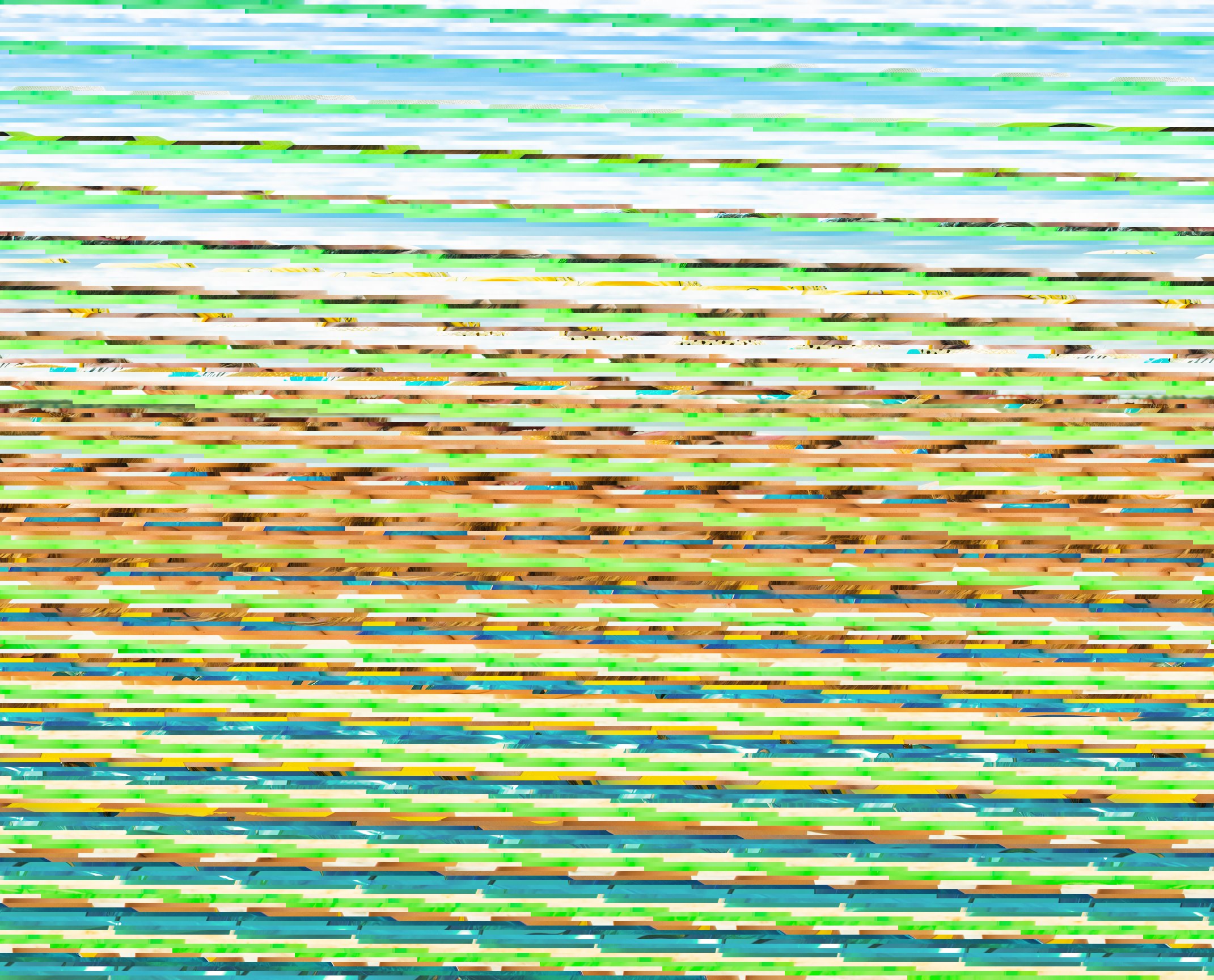
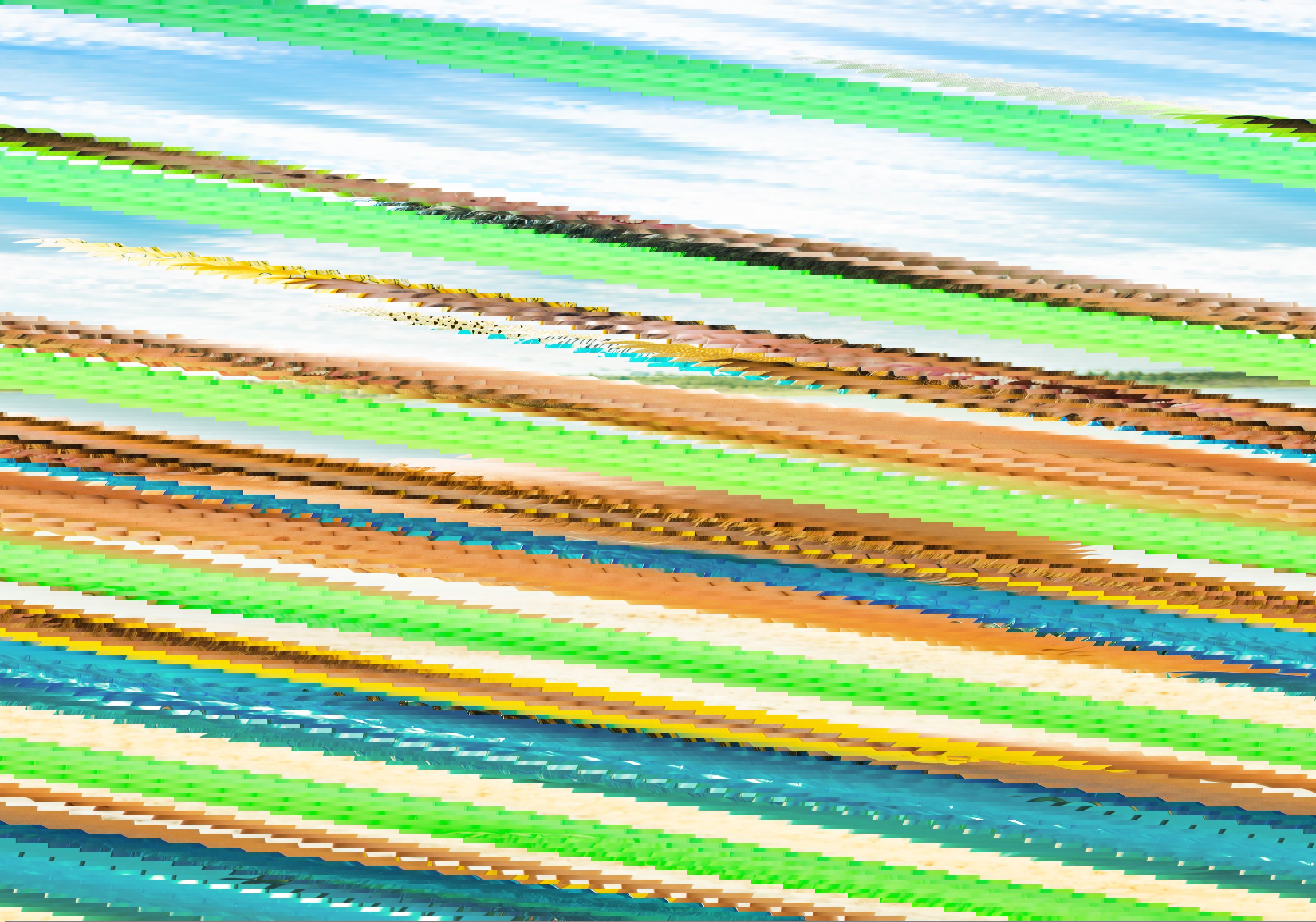

Since the repair is attempted with different resolutions, the image motive is shifted
for many result files. However, as described above, you do not have to think about this any further. You can simply select the appropriate file when downloading.
Restoration of colors
As described above, errors in the data stream can lead to erroneous colors in the image motif. Some of these errors can be fixed completely, but some only partially can be repaired. If a complete restoration of the JPEG colors is not possible, a complicated approximation method is used by our software. Unfortunately, this leads to slight block and band formations, which can not be recovered further. Nevertheless, we would like to point out that we do not know any other data recovery company worldwide that can even repair this type of error.


Actually, a complete repair of these errors is almost always possible. Not automated, but manually using a tool developed by us. If you are interested in this option, please contact us directly. We are happy to make you an individual offer.
Extensive format support
Not every JPEG file has the same structure. The format standard ITU-T T.81 (ISO/IEC IS 10918-1) defines 14 different main formats, of which only 3 are produced worldwide by cameras or mobile phones. Our software VG JPEG Repair Online is capable of repairing nearly 100% of all JPEG files produced in the world and supports the following format standards:
- Baseline DCT
- Extended sequential DCT
- Progressive DCT
- Spectral Selection
- Successive approximation
- Huffman Encoding 8 Bit
- Huffman Encoding 12 Bit
- Restart-Marker
- Color Spaces
- YCbCr
- Greyscale
- CMYK
- NON-STANDARD RGB
- Component / chroma subsampling
- 4:4:4
- 4:2:2
- 4:2:0
- 3:1:1
- NON-STANDARD 3:1:1, 3:2:0...
What we can not do
Sometimes we receive e-mails from people who have tried our free trial access but were unfortunately unable to recover the broken images. They ask us whether there are other ways of Repairing. Here we have to say that certain JPEG files are impossible to repair. This is because sometimes files do not contain any image information anymore. And where there is no image at all, nothing can be repaired. Such files are mostly repaired
by another recovery software. Unfortunately, most recovery programs on the market only make a simple file recovery based on the file system table. At the end, a file comes out, which has the original name and about the original size. But in reality, the file has absolutely nothing to do with the original one. Unfortunately, the user of the software does not notice this. Because of the correct file name, the user thinks that the file would be almost
restored. In reality, the file is completely useless. There are several ways that such files can look like:
- Random bytes: The file consists only of randomly consecutive bytes. This means the file contains arbitrary byte sequences like
736368656E2C20…and no more JPEG information at all. - Empty file: The file contains no data at all and is 0 bytes in size.
- Same byte sequence: Often a file also consists of a repeating byte sequence of the same characters, such as
FFFFFFFFFF…or00000000000…
With HEX editors , you can look at the contents of your files yourself and see if any of the above cases applies.
Reseller
As a reseller, you can use our product for your own customers. Over fixed monthly costs, you have unlimited access to our Recovery-Cloud. With a reseller account, you can either recover your own files or generate your own customer numbers. These numbers in turn can be used like normal customer accounts. In all cases, you or your customers can repair any number of defective images. If you are interested in integrating our Recovery-Cloud API into your product or purchasing our complete server software, please contact us.